 Guides
How to Use Kling 4.0: Prompt Guide and API Examples
Makernice Team · ·
Prices as of November 2, 2026 (price list v12).
Kling 4.0 is Kuaishou's video model, released on October 15, 2026, and it has been available on the Makernice API since October 30, 2026 in four modes: text-to-video (t2v), image-to-video (i2v), first and last frame (flf) and reference-to-video (r2v). To use it, send model set to kling-4.0 with a prompt, quote the price, create the generation and poll until the clip is ready. This guide gives a request for each mode and shows how to write the prompt, including sound and long shots.
What is Kling 4.0, and what can you use on Makernice?
Kuaishou announced on October 16, 2026 that Kling 4.0 had officially launched the day before. On Makernice it is one model id with two resolution tiers, and every clip comes with audio. The table lists what the API accepts today.
| Setting | Kling 4.0 on the Makernice API |
|---|---|
| Model id | kling-4.0 |
| Modes | t2v · i2v · flf · r2v |
duration | 3–30 s, whole seconds (default 5) |
resolution | 720p or 1080p (default 720p) |
aspect_ratio in t2v and r2v | 16:9, 9:16, 1:1, 21:9 |
aspect_ratio in i2v and flf | Not accepted; the clip follows the image |
reference_images (r2v) | 1 to 10 https URLs |
| Audio | Always included, no switch |
prompt | 1 to 4,000 characters |
negative_prompt, seed | Not accepted (400) |
Source: the model catalog at GET /v1/models (no key needed) and the API request validation. Catalog facts only, no quality ranking.
Kuaishou's announcement describes more than the Makernice API exposes. The following are not available through the Makernice API (as of October 30, 2026):
- 4K output; the API offers 720p and 1080p.
- 10-bit HDR output.
- Timelines of up to 10 keyframes; the API takes one first frame (
image_url) and an optional last frame (last_image_url). - Video references; reference-to-video takes images only, through
reference_images. - Video extension.
- Prompts of up to 8,000 tokens; the API limit is 4,000 characters.
How do you run a Kling 4.0 request through the API?
Every Kling 4.0 generation takes four REST calls with one API key: quote the exact input, create the generation with the quote id and an Idempotency-Key, poll its status, then download the file. The Python script below runs that flow for any request body in this guide; save the body as a JSON file and pass its name. Quoting is free and holds nothing.
import json, os, sys, time, uuid
from decimal import Decimal

import requests

API = "https://api.makernice.com/v1"
H = {"Authorization": f"Bearer {os.environ['MAKERNICE_API_KEY']}"}

# Usage: python kling4.py t2v.json  (any request body from this guide)
with open(sys.argv[1]) as f:
    job = json.load(f)

# 1. Quote: free, the exact amount is locked for 12 minutes
r = requests.post(f"{API}/generations/quote", json=job, headers=H, timeout=30)
if not r.ok:
    sys.exit(f"quote {r.status_code}: {r.text}")
quote = r.json()
print("Quoted", Decimal(quote["amount"]).scaleb(-6), "US dollars")

# 2. Create with the quote id; a retry with the same Idempotency-Key is not charged twice
r = requests.post(f"{API}/generations", json={"quote_id": quote["id"], "input": job},
                  headers={**H, "Idempotency-Key": str(uuid.uuid4())}, timeout=30)
if not r.ok:
    sys.exit(f"create {r.status_code}: {r.text}")
gen = r.json()
print("Generation", gen["id"])

# 3. Poll until the generation ends (give up after 30 minutes)
deadline = time.monotonic() + 30 * 60
while gen["status"] not in ("succeeded", "failed", "canceled"):
    if time.monotonic() > deadline:
        sys.exit(f"{gen['id']} is still {gen['status']}, poll it again later")
    time.sleep(5)
    r = requests.get(f"{API}/generations/{gen['id']}", headers=H, timeout=15)
    r.raise_for_status()
    gen = r.json()
if gen["status"] != "succeeded":
    sys.exit(f"{gen['status']}: {gen.get('error')}")

# 4. Download: the API answers with a redirect to the file
video = requests.get(f"{API}/generations/{gen['id']}/outputs/0", headers=H, timeout=120)
video.raise_for_status()
with open("kling4.mp4", "wb") as f:
    f.write(video.content)
print("Saved kling4.mp4")
Prefer Node.js? The API quickstart runs the same quote, create and poll flow in Node.js 18 or later with no packages; replace its job object with any request body from this guide.
How do you write a Kling 4.0 text-to-video request?
Text-to-video needs only model, mode and prompt. This request asks for a 10 second clip at 1080p in 21:9; leave duration and resolution out to get 5 seconds at 720p.
{
  "model": "kling-4.0",
  "mode": "t2v",
  "prompt": "A lighthouse keeper climbs a spiral staircase carrying a lantern, slow upward tracking shot, wind howling outside and footsteps echoing on the iron steps",
  "duration": 10,
  "resolution": "1080p",
  "aspect_ratio": "21:9"
}
How do you turn an image into a Kling 4.0 video?
Image-to-video uses your picture as the first frame. Send it in image_url as a public https URL and describe what happens next. Do not send aspect_ratio: in this mode the clip follows the shape of the image, and the field returns 400.
{
  "model": "kling-4.0",
  "mode": "i2v",
  "prompt": "The cat on the windowsill turns its head toward the street and yawns, static close-up, soft rain tapping on the glass",
  "image_url": "https://example.com/cat-on-windowsill.jpg",
  "duration": 5
}
First and last frame adds last_image_url. Write the prompt about the change between the two pictures, not about either picture alone.
{
  "model": "kling-4.0",
  "mode": "flf",
  "prompt": "Morning turns to night as the market stalls light up one by one, locked-off wide shot, crowd chatter growing louder",
  "image_url": "https://example.com/market-morning.jpg",
  "last_image_url": "https://example.com/market-night.jpg",
  "duration": 8,
  "resolution": "720p"
}
How do you write a Kling 4.0 prompt?
Describe one shot in four parts: the subject, one main action, the camera and the sound. Concrete nouns and verbs give the model more to work with than adjectives such as cinematic. Results vary from run to run, so treat the structure as a starting point.
| Part | What to write | Example |
|---|---|---|
| Subject | Who or what is on screen | An old fisherman in a yellow raincoat |
| Action | One main action, in order | Hauls a wet net onto the deck |
| Camera | One move or a fixed frame | Slow push-in at eye level |
| Sound | Ambient sound, effects, a short line | Waves, gulls, he mutters 'Not today' |
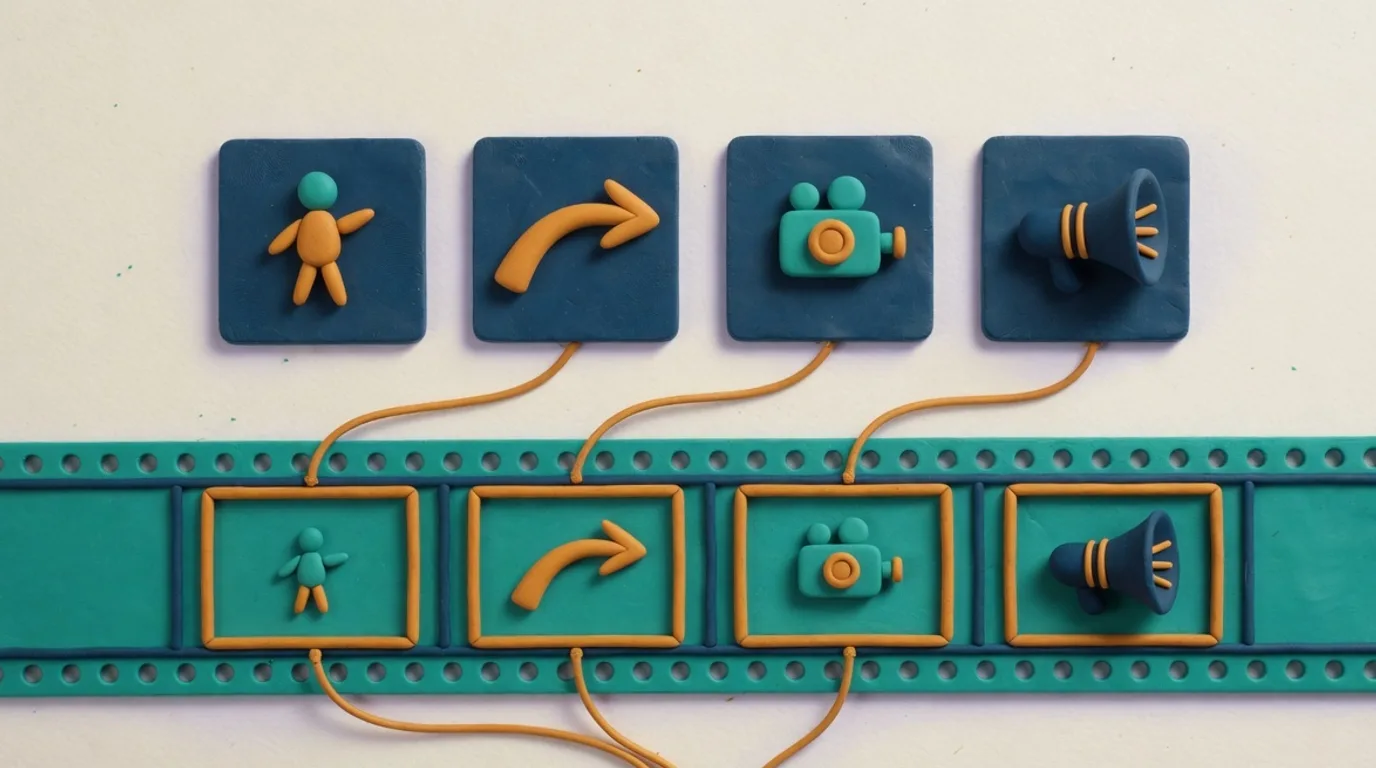
Kling 4.0 always returns a clip with sound and does not accept generate_audio (sending it returns 400), so the prompt is the only place to describe the sound. Name the ambient sound and the effects you expect, and put a short line of dialogue in quotes with who says it. The API does not guarantee that dialogue is spoken as written or that lip movement matches the words, so check each result.
How do you describe a long Kling 4.0 shot near 30 seconds?
A Kling 4.0 request takes one prompt per clip, and the API has no field for per-shot prompts, so a 20 to 30 second clip is best written as one continuous shot. Describe the action in the order it happens, with words like first, then and finally, keep one location, and give each stage its own camera move or sound cue. If the story needs a cut to a new place, generate separate clips instead.
Use 21:9 for wide scenes meant for landscape screens, such as a coastline, a chase or a crowd seen from the side; Kling 4.0 accepts it in text-to-video and reference-to-video. For phones choose 9:16. In image-to-video and first and last frame, crop the input image to the shape you want, because the clip follows it.
How do you prompt Kling 4.0 with reference images?
Reference-to-video takes 1 to 10 public https URLs in reference_images, and the clip uses them as references for people, objects or places rather than as frames. The Makernice API sends your prompt as written and defines no tag syntax for pointing at images, so describe each reference in plain words and by its position, such as the woman from the first reference image, and say what each one does in the scene.
{
  "model": "kling-4.0",
  "mode": "r2v",
  "prompt": "The woman from the first reference image walks the dog from the second reference image along a beach at sunset, tracking shot from the side, waves and distant gulls",
  "reference_images": [
    "https://example.com/woman.jpg",
    "https://example.com/dog.jpg"
  ],
  "duration": 6,
  "aspect_ratio": "16:9"
}
Which 400 errors does a Kling 4.0 request return?
Requests are checked before anything is held. Each case below returns 400 invalid_request; the message column is the text the API returns:
| What you sent | Message | Fix |
|---|---|---|
negative_prompt, seed or generate_audio | not supported for kling-4.0 … | Remove the field |
duration outside 3–30 | must be an integer between 3 and 30 | Use 3 to 30 whole seconds |
resolution other than 720p or 1080p | must be one of 720p, 1080p | Send 720p or 1080p |
aspect_ratio in i2v or flf | not supported for this mode | Leave the field out |
| Another ratio in t2v or r2v | must be one of 16:9, 9:16, 1:1, 21:9 | Pick one of the four |
More than 10 reference_images | at most 10 images | Send 10 or fewer |
A field the API does not define, such as multi_prompt | Unrecognized key: "multi_prompt" | Remove it |
A prompt over 4,000 characters | Too big: expected string to have <=4000 characters | Shorten the prompt |
Source: request validation of POST /v1/generations/quote on the Makernice API, October 30, 2026. Every error code is listed in the API docs.
How much does Kling 4.0 cost?
On price list v12 (as of November 2, 2026), Kling 4.0 costs $0.168 per second at 720p and $0.252 per second at 1080p, so a default 5 second clip at 720p is $0.84. Audio is included, and the quote shows the exact amount before anything is held.
Next: Kling 4.0 vs Kling 3.0 covers migrating from Kling 3.0, Kling 4.0 vs Seedance 2.5 compares it with ByteDance's model, and the Kling 4.0 model page lists every field. Live prices are on Pricing.